


AI Photo Video Maker, Enhancer
4.71.65K Reviews
App Specs
- Version
- 1.6.6
- Updated On
- License
- Free
- Downloads
- 10,000,000+
- Developer
- Smart AI DEV
- Categories
- Photography
- Platform
- Android, iOS
Screenshots
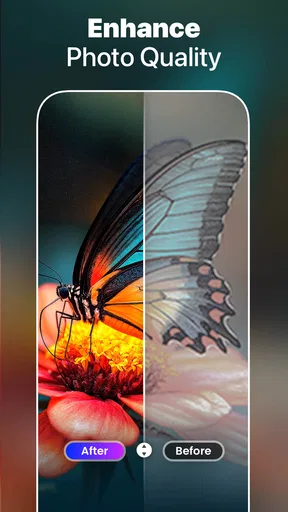
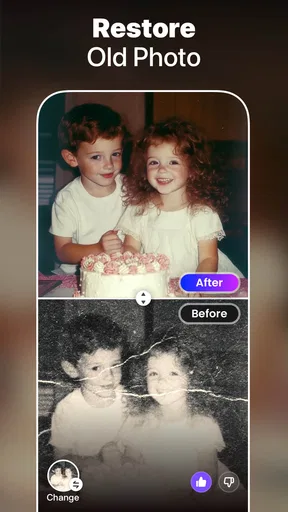
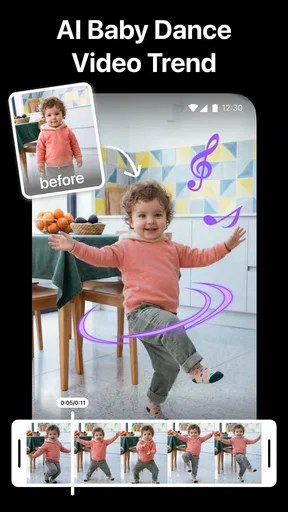
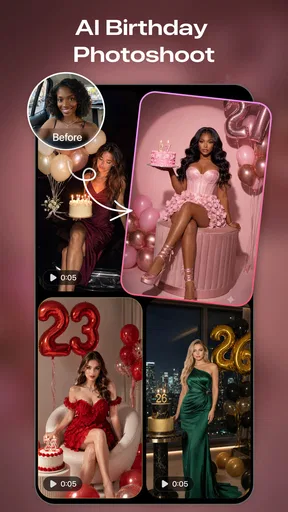
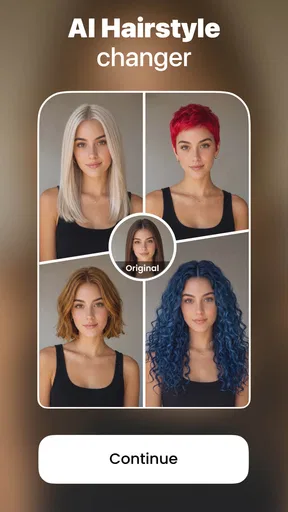
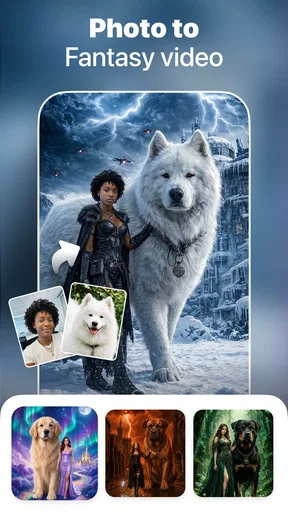
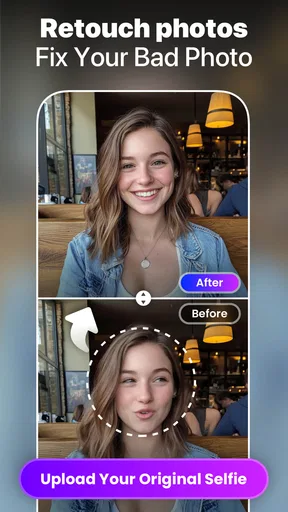
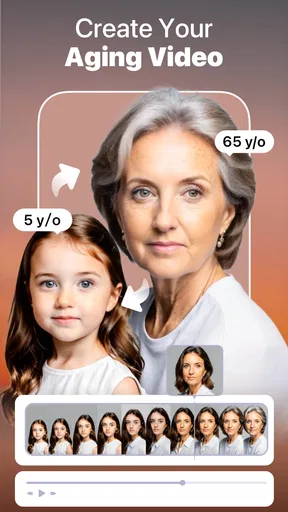
 Analysis by AppCompare
I tend to reach for a photo editor when a picture is almost right but needs a little help: a dim indoor shot, a portrait that looks flatter than the moment felt, or an old image I’d like to make more presentable. AI Photo Generator, Enhancer is aimed at those quick fixes, along with playful transformations. Its appeal is convenience, though the experience also depends on having a suitable connection when an editing task needs processing.
When an edit depends on the network
AI-based editing can involve more than a simple filter, so I’d treat a steady connection as part of the workflow rather than assume every tool will respond instantly in every situation. If I’m trying to improve a photo while commuting, I’d first choose the image and decide what I want from it, then wait until my connection is reliable before starting a more involved transformation. That small change in timing can make the experience less frustrating.
This matters most when I’m switching between ordinary adjustments and more ambitious effects. A basic edit is easy to judge at a glance; an AI-generated treatment may take more patience, especially if a network is unstable. I wouldn’t begin an important last-minute edit just before boarding a train or entering a place with poor reception. For casual experiments, delays are easier to shrug off.
A pocket editor for everyday moments
As a photography app, it makes the most sense for people who want to improve pictures without learning a full desktop editing workflow. I can imagine using it after taking a quick selfie in uneven light, or giving a family snapshot a cleaner look before sending it to a group chat. Its cartoon effects and photo-to-video direction also make it more playful than an editor built only for careful color correction.
A practical tip is to keep the original photo untouched and compare it with the edited result before sharing. AI enhancement can make a face look smoother or a scene more polished, but that does not always mean it looks more like the real moment. I’d be especially cautious with portraits: small changes can be flattering, while stronger processing can alter skin texture or make details feel artificial.
What to do when a result misses the mark
AI edits are not guaranteed to interpret every photo as I would. Busy backgrounds, fine edges, and mixed lighting can make an otherwise useful adjustment look uneven. When that happens, I’d try a less dramatic treatment or start with a cleaner crop, rather than stacking several effects on top of a result I already dislike. Keeping a copy of the unedited image also gives me an easy way back.
For a photo that matters, I would not rely on a single automated pass as the final version. I’d inspect faces, hair, and background edges at a closer view before posting or printing. If an image needs precise retouching, selective masking, or careful color matching across a series, a more traditional editor is likely the better tool. This app is more appealing when speed and experimentation matter more than exact control.
Worth Reading Before You Choose

Baby Panda World Brings Quick Play to Modern Phones, but Its Game Library Feels Busy

ESPN’s Live Game View Makes Following Close Games Easier

QuizzLand Review: A Good Fit for Short Trivia Breaks, Not Every Player

Basketball Stars: Multiplayer Is Fast, but Can It Recover When Matches Go Wrong?

WEBTOON Turns Phone Updates Into a Better Reading Routine

Link to Windows Runs on Shared Habits, Not Social Feeds
Choosing how much to process
Another useful trade-off is deciding what “better” means before tapping an effect. For a social post, a brighter or more stylized image may be exactly what I want. For a keepsake, I’d favor a lighter touch so the photo still feels familiar. Trying one change at a time makes it easier to see what helped and avoids turning a simple correction into an overworked image.
I’d also be selective about which pictures I send through any AI-powered workflow. For a casual portrait or a landscape, convenience may outweigh the need for a highly controlled edit. For sensitive personal images, I’d pause and consider whether using an AI editing service feels appropriate. That is a sensible habit with photo tools generally, not a claim about this app’s handling of images.
If I were editing during a busy day, I’d pick the image, make a modest enhancement, check the result, and save sharing for a moment when the connection is dependable. That routine is more useful than repeatedly tapping options while the app is still working. It also helps me avoid confusing a slow response with a bad result.
In short, I see this as a convenient option for casual improvements and creative play, not a replacement for a detailed editing suite. It suits people who want a quick route from camera roll to a more polished or amusing image. Anyone who needs precise retouching, predictable batch consistency, or uninterrupted editing in every setting should compare it with a conventional editor before settling on a workflow.
Revamping Your Photos with Ease
So, I downloaded the AI Photo Generator, Enhancer hoping for some magic, and wow, it delivered more than I expected. The app is designed to enhance your photos effortlessly. Once you open it, you're greeted with a clean and intuitive interface that even a newbie can navigate without a hitch.
What really caught my attention were the AI-powered features. From adjusting lighting to smoothing out those little imperfections, this app seems to do it all. I snapped a quick selfie, and in a few taps, the app transformed it into something that looked like it came straight out of a magazine. Incredible!
Features That Stand Out
Let’s talk about the standout features. First off, the automatic enhancement option is a lifesaver. You simply upload a photo, and the app analyzes it to apply the best possible adjustments. It’s like having a personal photo editor at your disposal.
The app also offers a variety of filters and effects. Whether you’re going for a vintage vibe or a modern look, there’s something for everyone. I played around with a few, and the results were nothing short of stunning. Plus, the AI-based upscaling feature enhances the resolution of your images, making them crisp and clear, perfect for printing or sharing on social media.
Is It All Flawless?
Okay, let’s be real here. While the app is mostly fantastic, it’s not entirely without its quirks. Occasionally, the AI might go a bit overboard with enhancements, especially on complex backgrounds. But hey, a little tweaking here and there, and you’re back on track. It’s also worth mentioning that some features are locked behind a premium version, which might not be ideal for everyone.
Another thing to note is the processing time on older devices. While it's generally quick, you might experience some lag if your phone isn’t the latest model. But honestly, for the results you get, it's a small price to pay.
Price, access, and who should try it
The app is free to download, with in-app purchases ranging from $4.99 to $79.99 per item. I’d explore what is available at no cost before paying, then decide whether a particular feature is worth the spend for the way I actually edit. If I only need occasional cleanup, I would be cautious about buying a higher-priced option just because it promises more tools.
It is made by Smart AI DEV, has an Everyone content rating, and is currently at version 1.5.2. The app has an average rating of 4.3 from around 109,000 ratings, with over 10 million installs. That level of adoption makes it an established choice to consider, but popularity cannot tell me whether its particular look suits my photos. I’d judge the output on images similar to the ones I use most.
One everyday use case is a quick portrait before sharing a birthday photo: I’d try automatic enhancement first, compare it against the original, and then decide whether a filter adds anything. If the result smooths skin too much or changes the scene’s mood, I’d back off rather than keep adjusting for the sake of it. That simple check is a good way to keep the picture recognizable.
Compared with a conventional photo editor, the main attraction here is the promise of quick, automated changes and more playful transformations, rather than fine control over every adjustment. A manual editor is usually a better fit when I need consistent colors across several pictures, exact cropping for a layout, or careful corrections to one small part of an image. For a one-off social post or a fun experiment, I’d rather try an approachable tool than open a complex editing suite.
The same distinction applies to photo-to-video and cartoon-style results. They can be appealing when I want something lighthearted to share, but they are not a substitute for a dedicated video editor if timing, detailed cuts, or a carefully planned sequence matters. I’d use the app to explore a quick visual idea, then move to a specialist tool if the project grows beyond that.
Connectivity and a sensible editing routine
Because the app centers on AI features, I’d plan for network-dependent moments instead of counting on every operation to finish immediately wherever I happen to be. A stable connection is the safer setting for experimenting with transformations; if a process seems slow, I’d avoid tapping repeatedly and give it a moment before deciding whether to try again. That keeps a temporary wait from turning into confusion about which version I’m viewing.
For data-conscious use, I’d choose images deliberately and avoid sending a large batch through an effect just to see what happens. Starting with one representative photo lets me judge the style and the time involved before committing to more. When a picture is personal, I’d also think carefully before using any AI service, and keep the original available so I can choose another editing route if I change my mind.
So, who should skip it? I would look elsewhere if I needed reliable, detailed retouching for paid work, exact control over every edit, or a workflow that must continue smoothly regardless of connectivity. People who mostly want a quick lift to everyday snapshots, a cartoon treatment, or an easy way to explore photo-based video ideas are more likely to appreciate its approach. The best results come from treating AI as a helpful starting point, not an unquestionable final decision.
Final Thoughts
In a world where visuals speak louder than words, the AI Photo Generator, Enhancer is a game-changer. It’s perfect for anyone looking to spruce up their photos without needing advanced editing skills. Whether you’re a social media enthusiast or just someone who loves capturing moments, this app is definitely worth a try.
If you're curious and ready to elevate your photos, I’d say give it a go. Who knows? You might just find yourself addicted to the simplicity and power of AI-enhanced photo editing!
Pros
- Intuitive interface for easy navigation.
- Wide variety of enhancement tools.
- Fast processing with minimal lag.
- High-quality output images.
- Supports multiple file formats.
Cons
- Subscription required for premium features.
- Occasional glitches with large files.
- Limited free options available.
- In-app ads can be intrusive.
- Requires stable internet connection.
FAQs for AI Photo Video Maker, Enhancer
What is the primary function of the AI Photo Generator, Enhancer app?
The AI Photo Generator, Enhancer app is designed to transform your photos by using advanced AI algorithms. It enhances image quality, adds creative effects, and generates unique visuals from basic images. Whether you're looking to improve clarity, adjust colors, or create artistic renderings, this app offers a variety of tools to elevate your photos.
Is the AI Photo Generator, Enhancer app user-friendly for beginners?
Yes, the app is designed with a user-friendly interface that caters to both beginners and advanced users. It provides intuitive controls and guided tutorials to help newcomers navigate through the features effortlessly. Even if you have no previous experience with photo editing, you’ll find it easy to enhance and generate stunning images.
Does the app offer any in-app purchases or subscriptions?
The AI Photo Generator, Enhancer app offers a free version with basic features. However, for advanced tools and effects, there are in-app purchases and subscription options available. These premium features are designed to provide a more comprehensive editing experience with additional creative possibilities.
How does the app ensure the privacy and security of my photos?
The app takes privacy seriously by implementing robust security measures. It ensures that your photos are processed securely and are not stored on the servers after processing. The app complies with relevant data protection regulations, providing peace of mind when it comes to your personal data.
Can the app be used offline, or does it require an internet connection?
The AI Photo Generator, Enhancer app requires an internet connection for certain features, such as downloading updates and accessing cloud-based AI tools. However, many basic editing functions can be performed offline, allowing you to work on your photos without needing a constant internet connection.


